
Skip to content

JOBPLAN · MORE CLARITY. LESS STRESS.

Staff scheduling and work schedules

Plan who works when and keep jobs and availability together. Jobplan connects work schedules with daily planning.

No payment details required

A clear view of your work
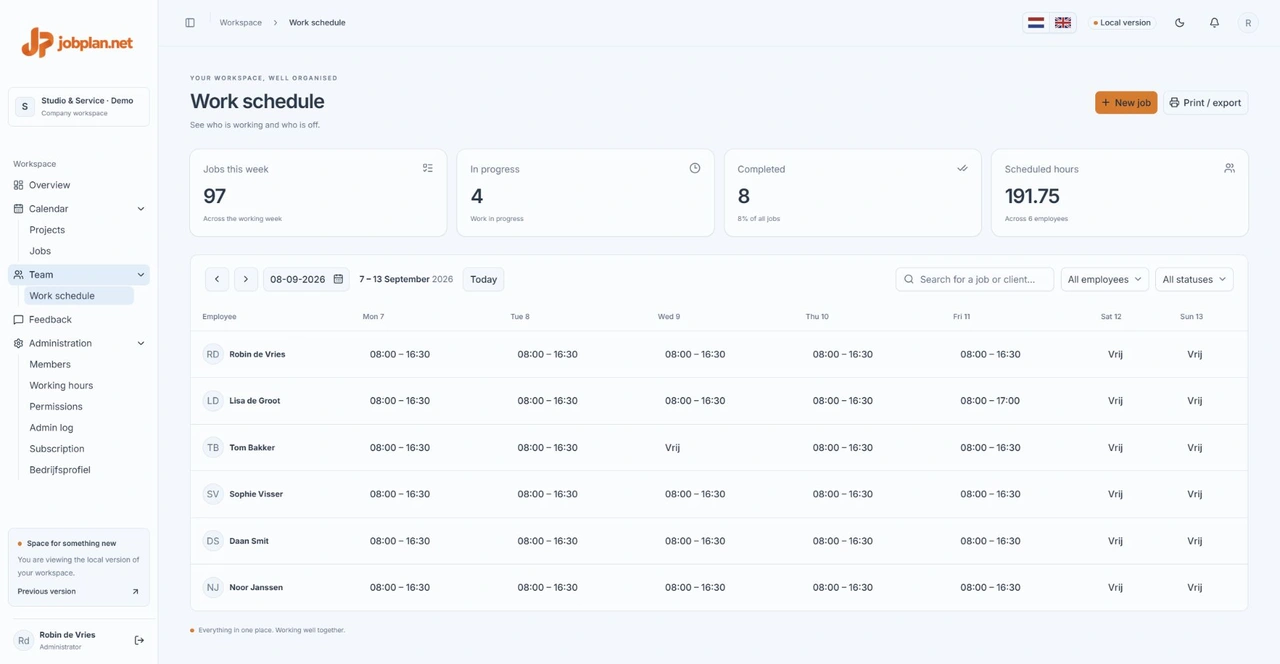
Jobplan work schedule showing working hours and days off for fictional employees
A look inside Jobplan. Screens show sample data.

From work schedules to daily planning

Record working hours, days off and leave in the work schedule. Use the daily view per employee or the weekly calendar to allocate jobs.

Clarity for the office and the team

Administrators and planners organise work. Employees view the jobs they have permission to access and update progress. Access is configured by role.

Change times while keeping job details

Drag jobs to adjust scheduled times. Customer details, instructions and photos stay attached to the job. Check availability and travel time yourself before allocating work.

IN PRACTICE

Prepare a working day

Start with working hours and absences in the work schedule. Then open the daily calendar and assign jobs to available team members. Set start and end times and allow for breaks and travel. Work schedules describe availability; jobs describe the work to be carried out.

Handle a change during the day

Suppose a customer reschedules an appointment. Update the job and check the rest of that employee’s day. Details stay attached to the job. Agree when your team should refresh the schedule; do not rely solely on an open browser tab for urgent changes.

Can administrators be scheduled too?

An administrator can also carry out work. Roles determine access to features, rather than whether someone performs jobs. Make sure the person is a member of the correct workspace and check their permissions. A platform administrator providing support is not an extra employee of your business.

A PLAN FOR YOUR WHOLE TEAM

Make room for good work.

Try free for 14 days